Summary page
Identity, Armor Class, Hit Points with hit dice and death saves, the secondary stats row, weapons, the ability / skill grid, proficiencies, equipment, and wealth. The page the game master looks at during a turn.
The character sheet is a single document made of four portrait-oriented pages. Each page owns a different kind of information, so the summary page stays fast to scan during combat and the long-form prose has its own home.
Identity, Armor Class, Hit Points with hit dice and death saves, the secondary stats row, weapons, the ability / skill grid, proficiencies, equipment, and wealth. The page the game master looks at during a turn.
Class features, features, species traits, and feats — each as a structured entry with an inline edit button so a ruling can be checked and corrected without leaving the sheet.
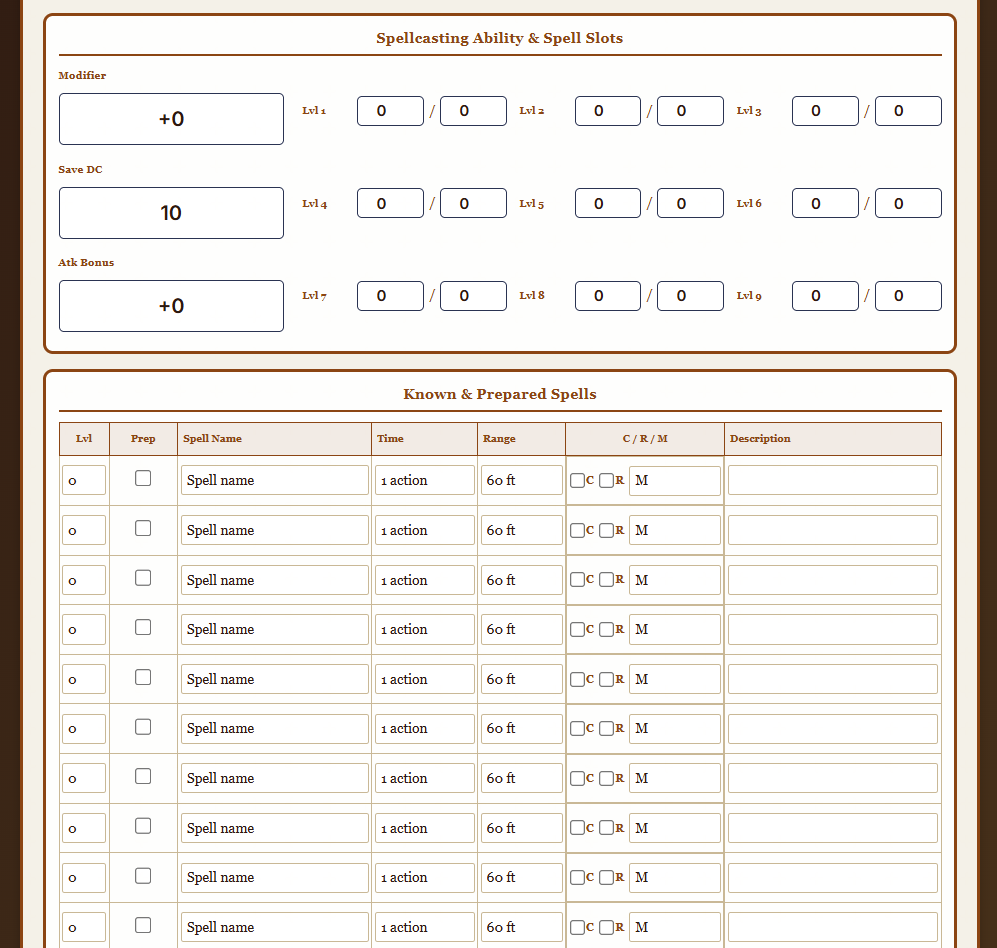
Spellcasting modifier, save DC, attack bonus, spell slots for levels 1-9, and a 15-row Known & Prepared Spells table with concentration / ritual / material flags and descriptions.
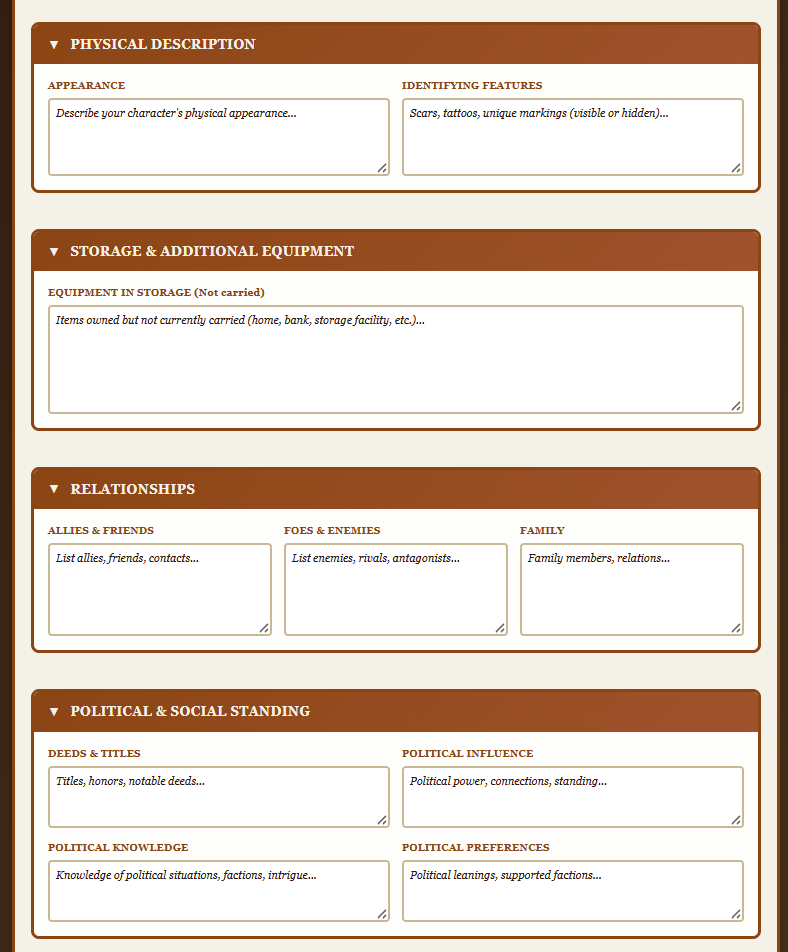
Character background & personality, physical description, storage, relationships, and political standing — each a collapsible panel, so the sheet stays scannable during combat.
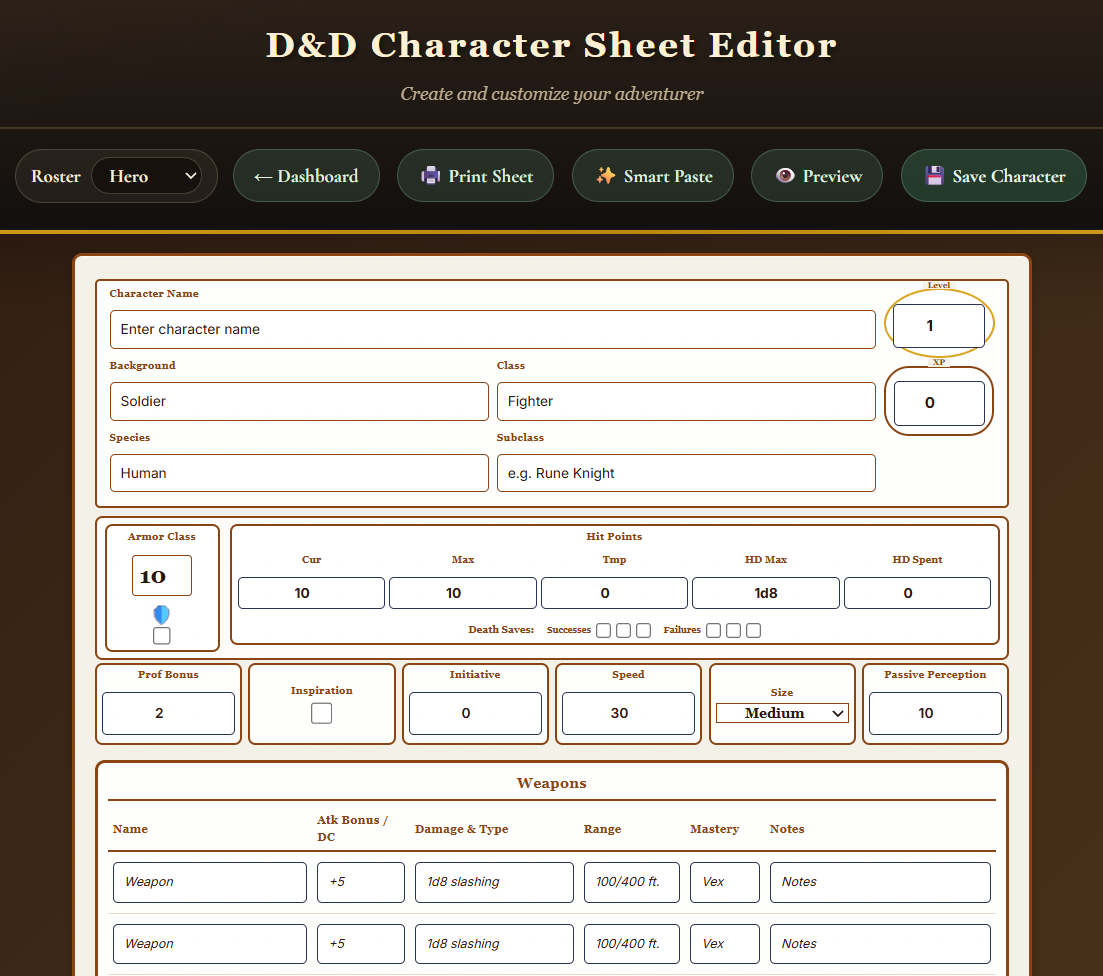
The summary page opens with a top toolbar (Roster, Dashboard, Print Sheet, Smart Paste, Preview, Save Character) and puts everything a game master needs in a fight above the fold: the identity block, Armor Class with shield toggle, Hit Points with current / max / temporary / hit dice and death saves, the secondary stats row, and the weapons table.
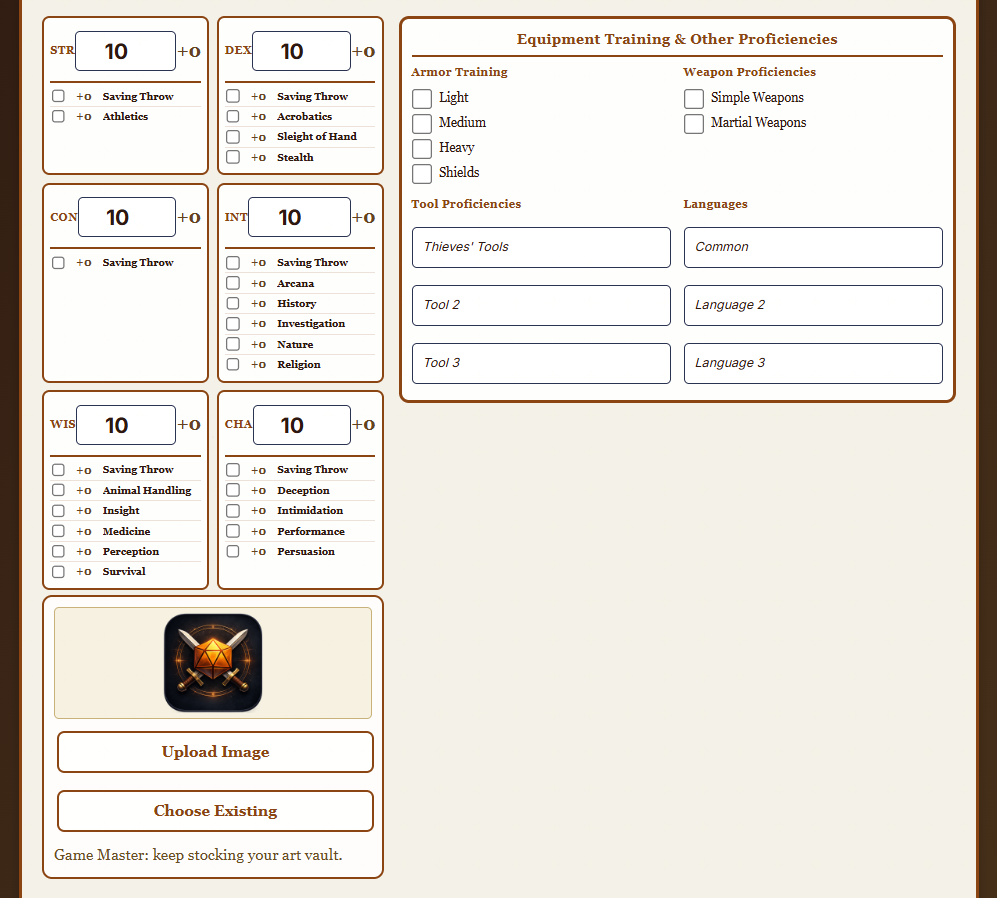
Below the combat row, the summary page splits into a sidebar and a main column. The sidebar holds the six ability scores — each block paired with its saving throw and the skills tied to that ability. Next to it sits the Equipment Training & Other Proficiencies panel, and under the ability grid you can upload or pick a character portrait.
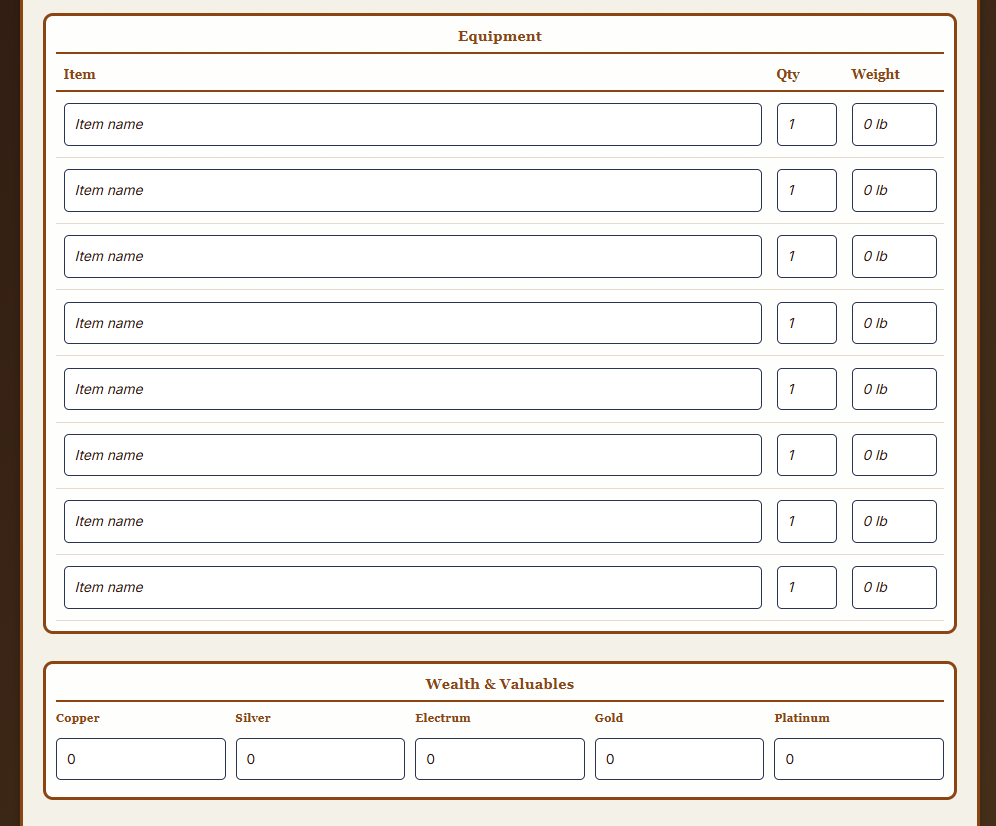
Carried gear and coin live side by side at the bottom of the summary page. The Equipment table has eight rows of Item / Qty / Weight so your pack is always ready, and the Wealth & Valuables panel breaks coin into Copper / Silver / Electrum / Gold / Platinum with optional named gems and valuables.
Spellcasters get a dedicated spellbook page. The Spellcasting Ability & Spell Slots block puts casting Modifier, Save DC, and Atk Bonus on the left, and a grid of spell slots for levels 1 through 9 (used / total) on the right. Below it, the Known & Prepared Spells table has 15 rows of full spell detail.
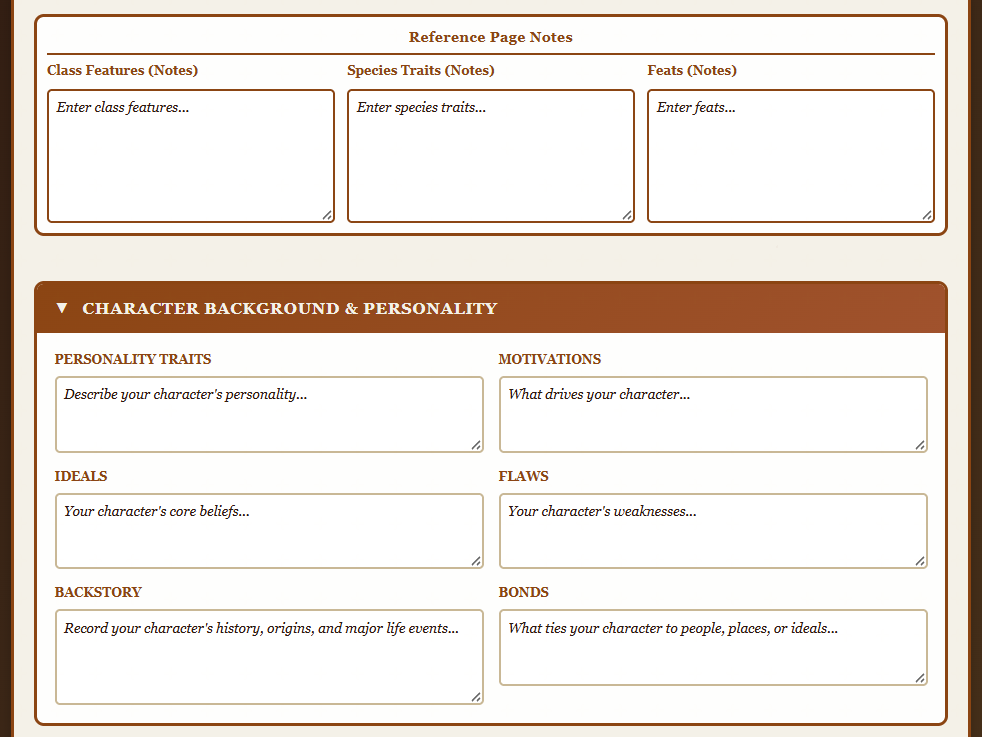
The reference page holds your free-form Class Features, Species Traits, and Feats notes as three preformatted textareas, and flows into the Character Background & Personality panel — Personality Traits, Motivations, Ideals, Flaws, Backstory, and Bonds, each in its own labeled textarea.
The rest of the Character details page is made of four collapsible panels. Physical Description holds Appearance and Identifying Features. Storage & Additional Equipment tracks gear kept somewhere other than on the character. Relationships splits into Allies & Friends, Foes & Enemies, and Family. Political & Social Standing splits into Deeds & Titles, Political Influence, Political Knowledge, and Political Preferences.
The character sheet editor is free to open and free to use. Sign in once and every sheet you build is saved to your Virtual Combat Simulator library, ready to drop onto a battle map.
Yes. The character sheet uses D&D 5e 2024 structure — the six ability scores, the 2024 weapon mastery column, the classic skill-under-ability layout, and the identity block fields are all D&D-shaped. Homebrew values are welcome, but the shape of the sheet is D&D 5e 2024.
You can view this page and tour the character sheet without signing in. To actually save a character, upload a portrait, use Smart Paste, or print a real sheet, Virtual Combat Simulator asks you to sign in first — and then lands you right back on the character sheet editor.
You get a sign-in modal. After you sign in or create a free account, you are sent straight to a blank character sheet in the Virtual Combat Simulator app, not dropped off at a generic dashboard. Signed-in users skip the modal and go directly to the editor.
Yes. Multiclass characters such as Rogue 3 / Wizard 10 are treated as first-class citizens. Mixed hit dice expressions like "3d8 + 10d6 + 26" display correctly, and class features, feats, and spell slots come from the canonical character model instead of a single-class assumption.
Smart Paste takes a block of text from a character builder, PDF, or notes app and classifies it into the canonical character model. Ability scores go to the ability grid, compact identity goes to the identity header, weapons go to the weapons table, spells go to the spells table, and long prose goes to the Character details page instead of landing in the Background field. Smart Paste is strict on purpose — the weapon table and the identity fields reject content that does not match their shape.
Yes. The character sheet and the battle-room token read and write to the same canonical character model. Hit points, conditions, and initiative set on the sheet show up on the token, and changes on the token show up on the sheet. One character, two surfaces.
Yes. The Preview button locks every input and shows the exact printable layout. The Print Sheet button runs the browser print dialog against that layout, so the summary, reference, spellbook, and details pages each print as their own portrait-oriented page.
The editor is free. Pricing gets you storage, premium tools, and more asset vault capacity when you need it.