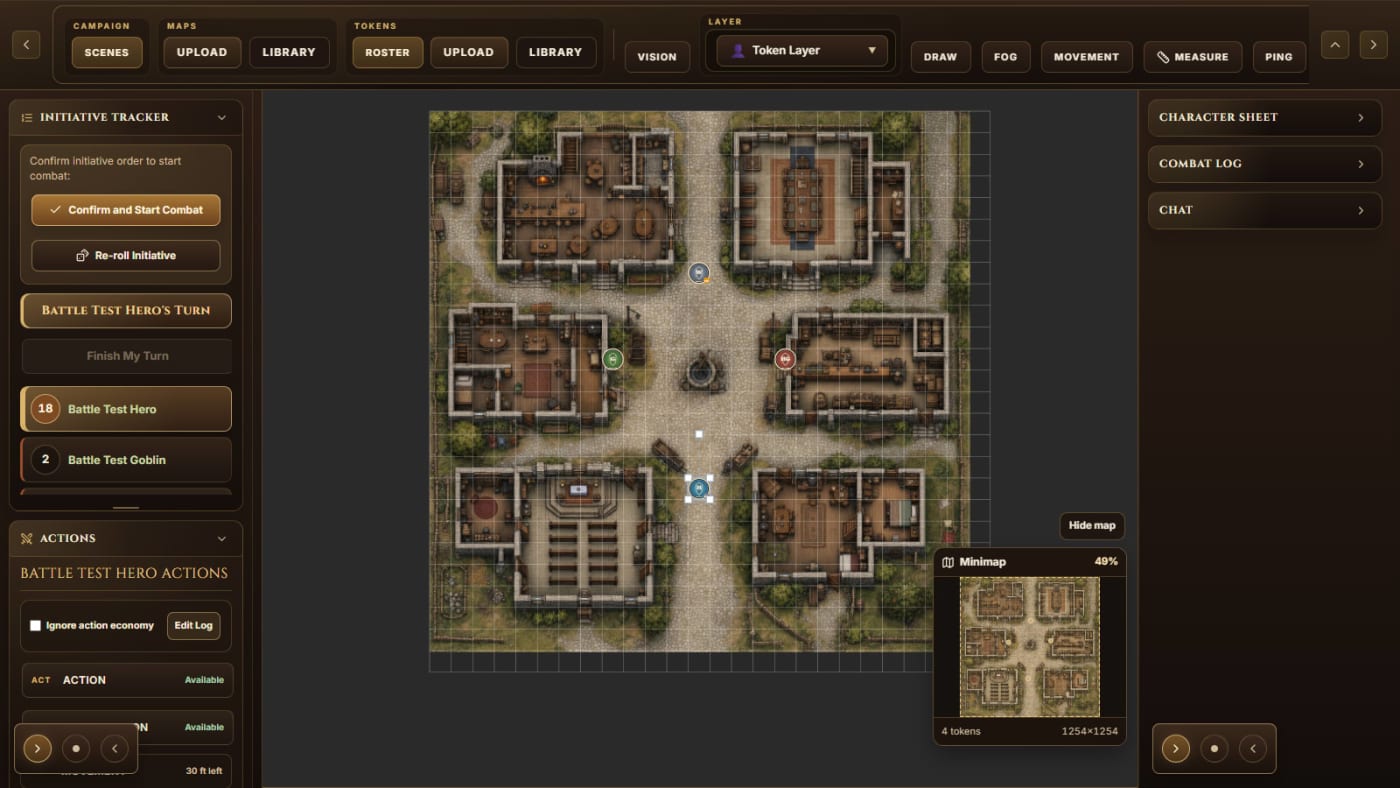
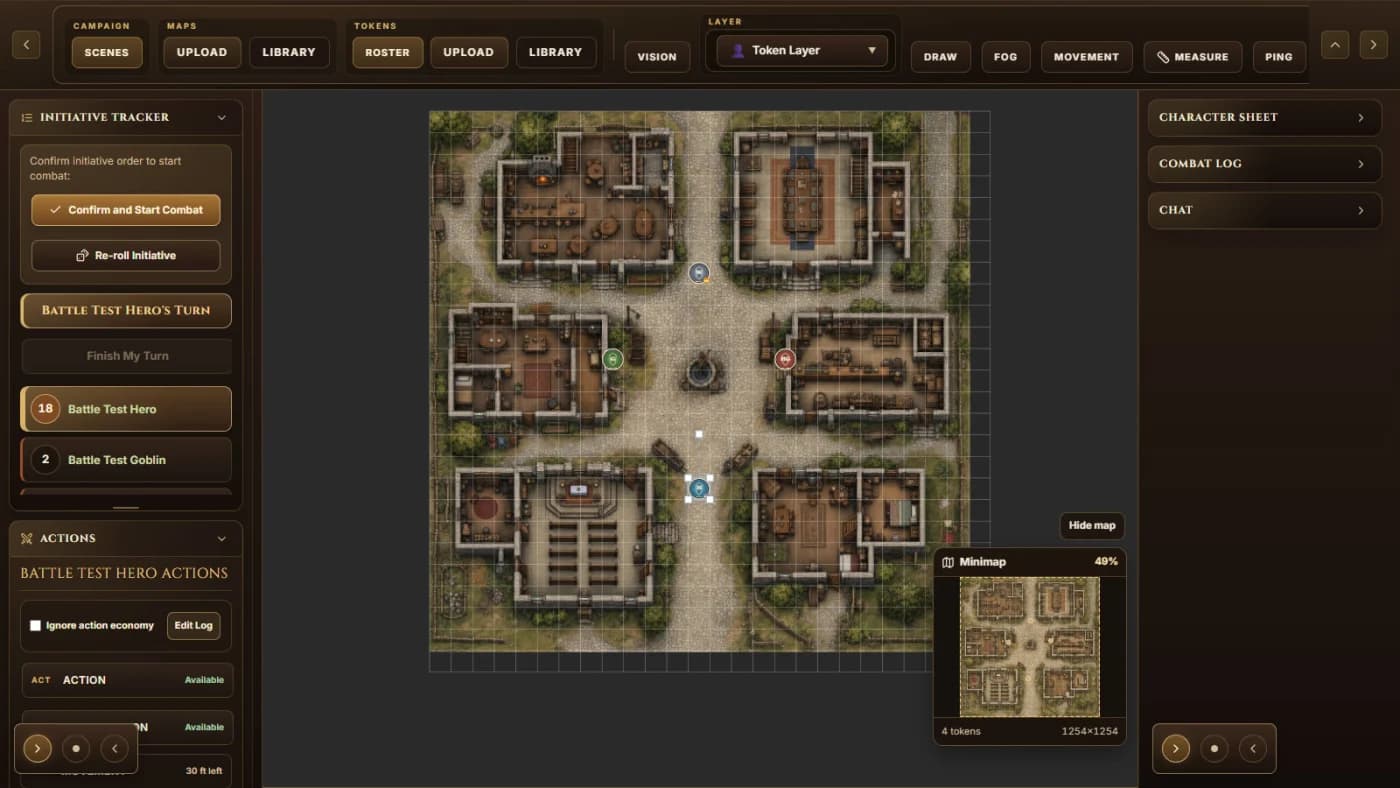

Initiative
Start combat beside the map
Confirm initiative, see the active turn, and keep the next combatants and action controls in the same workspace.
Virtual Combat Simulator is a focused combat simulator for tabletop RPG encounters. It is built around the part of play that often slows a session down: battle maps, tokens, initiative, hit points, conditions, and the moment-to-moment flow of combat.
Virtual Combat Simulator is not an all-purpose campaign manager or a giant everything-in-one virtual tabletop. It is built to keep combat clear and easy to run for a game master who wants tactical clarity without burying the table under extra interface weight.
SmartPaste is the front door for character data. Paste text you created, own, licensed, or are otherwise permitted to use; review recognized and uncertain choices; then apply the approved result to the character sheet used beside the battle map.
Virtual Combat Simulator is for game masters who want a cleaner way to run tactical combats without bouncing between battle maps, initiative trackers, notes, and character references.
Virtual Combat Simulator is for tabletop RPG groups that play online or in hybrid setups and need shared positioning, clear turn order, token control, and combat state in one place.
Virtual Combat Simulator is for encounter-heavy campaigns where D&D combat management, battle-map visibility, and fast initiative handling matter more than sprawling world or campaign administration.
Combat loses energy when the game master has to juggle too many disconnected tools. Players wait while someone checks initiative, finds the right token, updates hit points, or explains who can act next. That friction is exactly what Virtual Combat Simulator is built to reduce.
Virtual Combat Simulator also solves the visibility problem that shows up in hybrid or online play. When the battle map, tokens, and combat state live in different places, players stop reading the situation clearly. A single encounter view keeps the fight readable and helps everyone stay engaged.
Upload or prepare the battle map, place tokens, and keep the physical or virtual battlefield readable at a glance.
Track initiative, turn order, and combat state without separate spreadsheets or side tools pulling attention away from the table.
Keep token placement, hit points, and condition tracking tied to the same encounter view so the game master can act quickly.
Adjust the grid and measure tactical distance directly over the map without moving the fight to a separate tool.
Paste character text you are permitted to use, review what VCS recognized or inferred, and apply the approved details to a character sheet instead of retyping the whole thing.
Start with the core encounter tools, then move into the paid Game Master tier when you need more storage and expanded capability.
Go deeper on specific parts of Virtual Combat Simulator.
Virtual Combat Simulator is free to start. Signed-in users get the core combat management tool, and the current founding Game Master price of $10.00 per month adds more storage and additional GM-oriented capability for groups that run encounters often. That introductory offer is 50% off the $20.00 per month standard price.
Try the core tool first, then decide whether the paid layer matches how often you run encounters.
Virtual Combat Simulator is a browser-based combat simulator for tabletop RPG encounters. Virtual Combat Simulator keeps battle maps, tokens, initiative, hit points, and encounter flow together so a game master can run combat with less bookkeeping.
SmartPaste takes character text you created, own, licensed, or are otherwise permitted to use and sorts the details it recognizes into the VCS character sheet. It labels source and certainty and asks you to review the result before applying it. Built-in rules text is limited to SRD-backed material.
Virtual Combat Simulator overlaps with part of the VTT space, but the focus is narrower. Virtual Combat Simulator is best understood as a combat simulator and encounter view, not as a full campaign-management VTT that tries to cover every part of tabletop play.
Virtual Combat Simulator is for game masters and tabletop RPG groups, especially D&D-adjacent tables that care about battle maps, initiative, tokens, and encounter flow.
Yes. The product supports shared table state, so players can follow the same encounter view while the game master runs the fight. The GM has the controls, but the encounter view keeps the whole table aligned.
Yes. Virtual Combat Simulator is especially useful when a group is online or split between in-person and remote play, because maps, tokens, initiative, and combat state all stay visible in one browser-based tool.
Virtual Combat Simulator is free to start, with an optional Game Master subscription at the current founding price of $10.00 per month. The free path covers the core encounter use case, while the paid tier is the upgrade for more storage and expanded GM capability. The founding offer is 50% off the $20.00 per month standard price.
Read getting-started notes, core features, common use cases, and current scope for Virtual Combat Simulator.
Reach the Sixsmith Games support team for help, product questions, and contact details.
Virtual Combat Simulator is a browser-based combat simulator for tabletop RPG encounters, with battle maps, tokens, initiative, and encounter flow in one place.
Online D&D combat speeds up when the battle map, initiative, tokens, and hit points live in one clear combat workflow.
A combat simulator focuses on encounter flow, while a full VTT usually tries to cover more of the campaign and session stack.


